KLU Attendance Calculator
Keeping track of attendance is important for KL University students because achieving the required attendance percentage can affect exam eligibility. You can easily find out your current attendance rate and how many classes you need to miss or attend to reach your goal with the KLU attendance calculator. Enter your attendance details to view the result instead of doing the math by hand. This online tool helps you make better plans and stay above the required attendance rate. In this article, we’ll explore how this tool works and why using this online calculator is the easiest option.
What Is the KLU Attendance Calculator?
You can use the KLU attendance calculator, a free online tool, to see what percentage of classes you have been attending and plan your remaining classes. The calculator determines attendance for KL University (KLEF) students using LTPS weighting and TCBR regularization credit. By entering the total classes organized, attended, and missed, students can check their progress against a target, such as the 75% attendance requirement, and see how many classes they can safely miss or need to attend.

How to Use the KLU Attendance Calculator?
The KLU attendance calculator is easy to use. Enter your class attendance details. To find your current percentage and track your progress toward your goal.
Enter Your Total Classes: Enter the total number of classes your course has had. The calculator gives you the correct answer if you enter the correct numbers.
Enter Your Attended Classes: Enter the number of classes you have attended. This online tool shows your attendance percentage using this data, as well as the total number of classes you have taken.
Check Your Attendance Percentage: The calculator shows you your current attendance percentage after you enter your attendance details.
KLU Attendance Rules and Requirements
KLU has specific attendance requirements and rules for students. By following these rules, you can avoid failing to meet attendance requirements and getting in trouble.

Minimum Attendance Requirement
To take exams, KL University requires students to maintain the required attendance percentage. The minimum attendance requirement is 85% for most regular courses. For BBA-LLB, LLB, and LLM programs, the minimum requirement is 70%.
What Happens If Your Attendance Falls Below the Requirement?
Students at KL University must maintain the required attendance percentage to write their exams. Detained students may not be allowed to take the Semester-End Examination for that course.
Condonation and Attendance Shortage
Students who don’t meet the required attendance percentage may still get condonation as long as they stay within the allowed range. For approval, you may need to submit valid documents such as medical certificates or official records of your approved leaves, along with the required condonation fee.
How Is KLU Attendance Percentage Calculated?
To get the KLU attendance percentage, you must compare the number of classes actually attended to the total number of classes held.
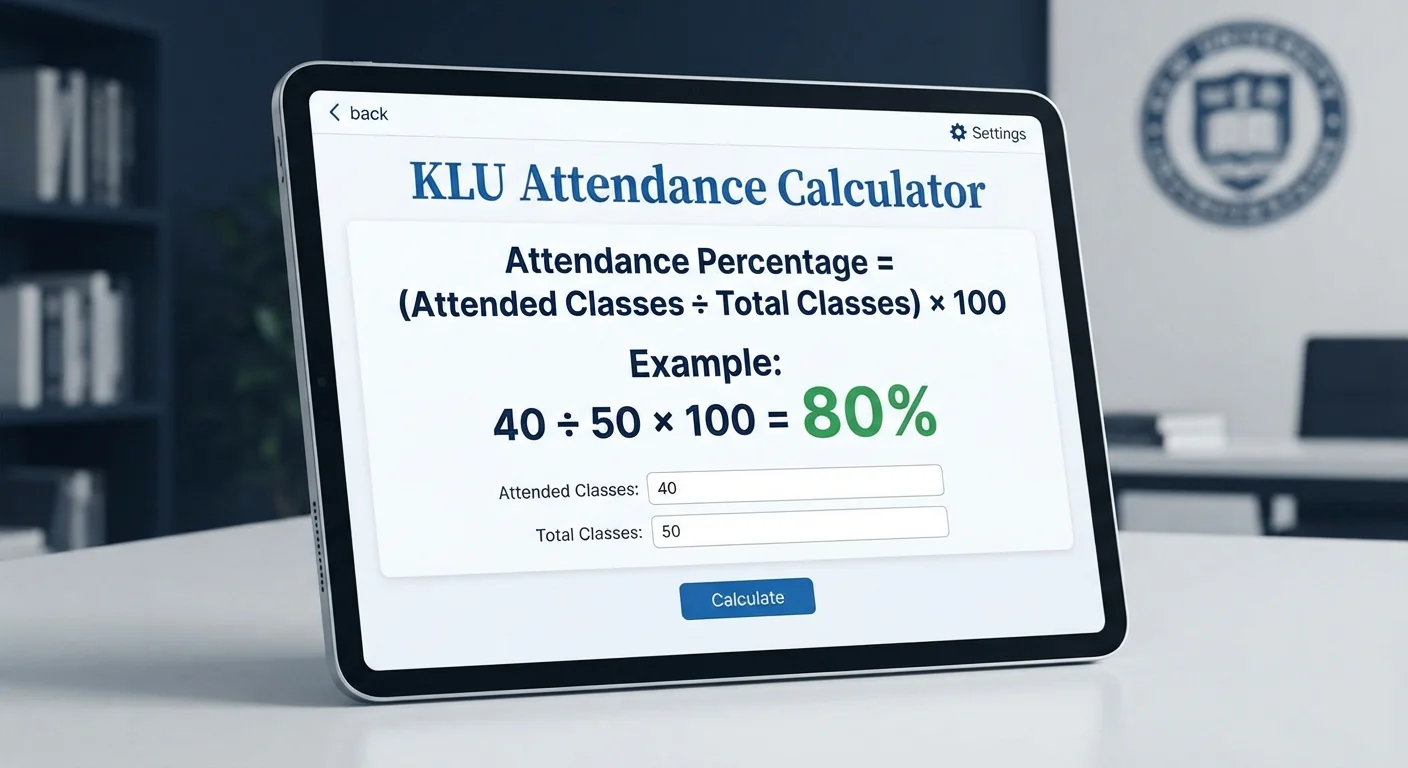
Attendance Percentage Formula
Example of Attendance Calculation
If you attended 40 classes out of 50, calculate it as:
This means your attendance percentage is 80%.
Attendance Calculation by L-T-P-S Components
Under the L-T-P-S structure (lecture, tutorial, practical, and skill attendance respectively). A single subject at a KL university is split into 4 separate parts. Each part keeps track of its own hours, but when the KL University attendance calculator adds them up, each part carries a different percentage.
Lecture Attendance (L): This component carries the highest weight (100% weight). Every hour of lecture class counts fully toward your score.
Tutorial Attendance (T): Tutorials are for problem-solving and carry 100% (or 25%) weight depending on your course rules.
Practical Attendance (P): Labs carry 50% weight because practical classes usually have longer hours.
Skill Attendance (S): Skill classes carry 25% weight and focus on job training
How Does Absence Affect KLU Attendance?
Skipping classes can have a big effect on your university record. Knowing how absences can affect your ERP (online attendance page) lets you quickly figure out how to get back to safety.
How Absences Affect Your Attendance
You quickly lose percentage points if you miss classes because absences count more than attendance in the final attendance. If you miss even one lecture or tutorial session, for example, it counts against you 100% of the time and lowers your overall ERP score right away.
How Many Classes Do You Need to Attend After Being Absent?
To fix your score after missing a class, you need to maintain perfect attendance in order to improve your attendance percentage. Enter your missed days into the calculator to check your current score and see how many classes are left. Then maintain a perfect streak in your upcoming classes to bring your percentage back to your target.
How to Check Attendance in KLU ERP: A Step-by-Step Guide
Every student at Koneru Lakshmaiah University (KLU) needs to maintain their attendance record. Students who do not get the required percentage may have to pay a condonation fee or be banned from taking exams.
If you don’t know how to track your attendance, here is a step-by-step guide to reviewing your attendance on the KLU ERP portal.
The requirement for KLU ERP Login
Before you start, make sure you have these things ready:
- User ID: Your official KLU Student Registration Number.
- Password: Your unique portal password.
- Official URL: Use the official KLU website to access the ERP portal.
Steps to Check Your Attendance in KLU ERP
Follow these steps to check your attendance in the KLU ERP section:
- Open your browser and go to the KLU ERP section on the KLU Attendance Calculator.
- Enter your registration number as the username, type your password, and click the Login button.
- Find the attendance section in the academic menu or side panel once your dashboard is ready to use.
- If required, choose your current academic year and semester.
- If you click on search or view, you can see your attendance information and attendance by subject.
Conclusion
The KLU Attendance Calculator makes it easier to check your attendance percentage and plan your classes. It helps you find out which classes you need to attend and which you can miss. You can also understand L-T-P-S components and TCBR regularization credits where applicable. Checking subject-wise attendance through the KLU ERP portal helps you stay updated. Checking your attendance regularly can help you avoid shortages and exam eligibility issues.
Frequently Asked Questions (FAQs)
What is the minimum attendance required at KLU?
The minimum attendance required at KLU is 85% for regular programs and 70% for Law courses. If you have a valid medical or official duty excuse, you must meet the minimum percentage of 75% to avoid being detained.
How is KLU attendance percentage calculated?
It is calculated component-wise (Lecture, Tutorial, Practical, Skill)by dividing the number of attended classes by the total number of classes and multiplying by 100. The KLU ERP system calculates this separately for each course code.
How many classes can I miss at KLU?
To maintain the 85% goal, you need to attend at least 17 of the 20 classes that are held during the semester. If the teacher adds or rearranges sessions, the number of missed classes decreases quickly.
Can I recover my attendance after being absent?
To get your percentage back, you can make up for missed classes by attending all of your upcoming classes in a row. If you have a real emergency, you can have the missing marks erased by providing your department’s medical certificates or by being on duty.
Does the KLU Attendance Calculator work for all courses?
Yes, this online tool works across all fields because they match the standard L-T-P-S structure used by the university. You can manually enter or copy-paste your live ERP list to calculate results for any engineering or management course.
Is my attendance data safe when using the calculator?
Yes, your data is completely secure because these online tools process all the information entered on your device directly in your browser. No registration numbers, internal marks, or attendance records are ever sent to or saved on external servers.