Attendance Calculator – Free Online Tool to Calculate Attendance
One question every student asks: “How many more classes can I miss? If you’re worried about your attendance, an attendance calculator can quickly and accurately tell you the answer. You can easily calculate your current attendance rate by entering your total sessions and the number you attended. Plus, you can set a goal such as 70% or 75% to see how many classes you still need to attend and how many you can miss while staying at the required level.
Using this online calculator, you can keep track of your attendance across different classes and organize your study schedule. Instead of doing the math by hand, simply enter your attendance details to see the result. It helps you make better plans and stay above the required attendance percentage.
What Is an Attendance Calculator?
A free online tool that helps students calculate their attendance percentage and plan their remaining classes. You enter the total number of classes, the number you have attended, the number you missed, and the attendance percentage you want to achieve. The calculator then uses these details to show your current attendance percentage.
Plus, it can help you prepare by showing you how many classes you still need to attend, how many more you can miss, and the expected final attendance. It may start with a 75% attendance target, but you can change it to fit your school, college, or university. In short, this online tool can help you check your current percentage and understand your remaining attendance options.It means you can use the Attendance Calculator tool to find your attendance percentage.
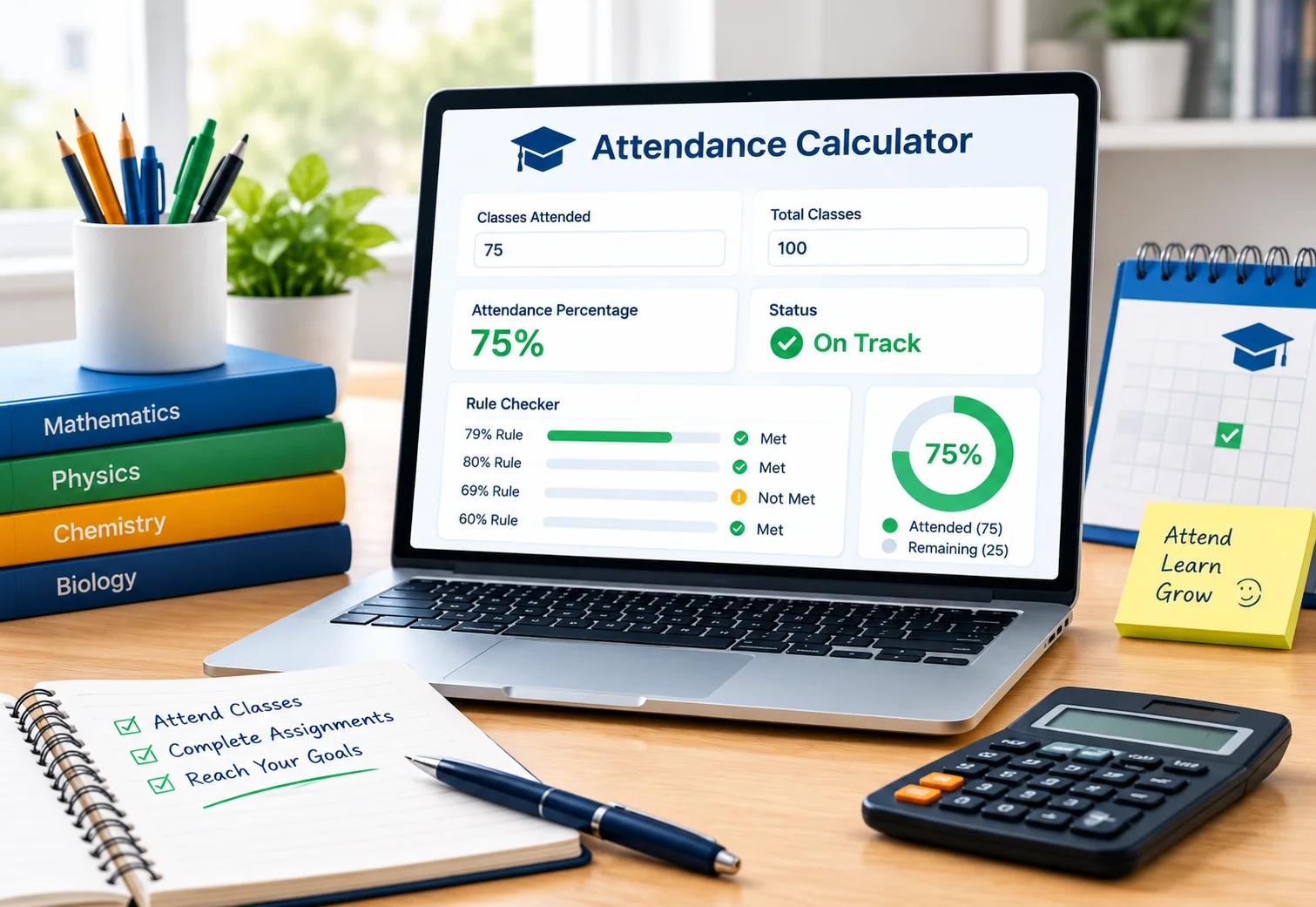
How Does an Attendance Calculator Work?
Using this online calculator, enter details to calculate your current attendance rate and see how many classes you need to attend and how many you miss.
- Figure out your current attendance: The number of classes you attend and miss is used to calculate your current attendance percentage.
- Calculate your remaining classes: It figures out how many classes are left by adding up all your current attendance and the total number of classes in your course
- Check your target percentage: Enter your target percentage to calculate how many more classes you need to attend and how many you can miss.
- Maintain the total number of classes: When checking a future absence, the total number of classes is always the same.
- Whole classes: Instead of decimal numbers, the calculator works for whole classes.
- Manage decimal results: For example, if the calculation says you can miss 3.5 classes, you can’t miss half a class. The calculator shows if your attendance will stay above your goal, reach it, or fall below it.
How to Use the Attendance Calculator?
You can easily use this online tool. Enter your total, attended, and missed classes, set your target attendance, and check your result instantly.
Enter Your Total Classes
Enter the total number of classes that have been held so far. For example, if 50 classes have been held, enter 50.
Enter Attended and Missed Classes
Enter how many classes you attended and how many classes you have missed. As an example, enter the numbers if 40 classes were attended and 10 were missed.
Set Your Target Attendance
Enter the percentage that is required to maintain your attendance, such as 70% or 75%. It helps figure out how many classes you can still miss.
View Your Attendance Result
Once the information is entered, the calculator displays the current attendance rate along with the number of classes that can still be missed or need to be attended.
Attendance Percentage Formula
Use the attendance percentage formula to calculate the percentage of classes attended out of the total classes held.
How to Calculate Attendance Percentage
To find the attendance percentage, divide the number of classes that were attended by the total number of classes. Then, multiply the result by 100.
Formula: Attendance Percentage = (Attended Classes ÷ Total Classes) × 100
Attendance Calculation Example
In this case, if 40 classes were attended out of 50 (total classes), the calculation would be as follows:
(40 ÷ 50) × 100 = 80%
That means the attendance percentage is 80%.

Understanding Your Attendance Calculator Results
You can see your target percentage, remaining classes, and current attendance clearly in the attendance calculator. Plus, it can tell you if you’re on track to reach your goal.
Status Labels
Quickly, status labels help you understand your attendance. It depends on the result whether your status is satisfactory, at risk, or below target.

Different Attendance Situations
| Case | What is meant |
|---|---|
| Above target | Your attendance is above the required percentage. |
| At target | Your attendance is exactly at your goal. |
| Below target | Your attendance is lower than the target percentage. |
| Target achievable | You can reach your target by attending enough of the remaining classes. |
| Target not achievable | The remaining classes are not enough to reach your target. |
How Many Classes Can You Miss?
The attendance calculator shows how many classes you can miss without falling below the required percentage. It reviews your absences, remaining classes, and current attendance.
Classes You Can Safely Miss
The calculator tells you how many more classes you can miss before you fall below your target attendance. If the result is zero, you need to attend the remaining classes to keep your target percentage. You can also see what would happen to your final attendance if you missed one more class. . If you are a KL University student, there is a KL University Percentage Tool especially for you, so you can use it for your university.
Classes Needed to Reach Your Target
If your current attendance is below your target, the calculator shows how many classes you need to attend to reach it. Based on the classes you still have, you can determine if your target is achievable.
Attendance Requirements and Minimum Attendance
Schools, colleges, and universities may require a minimum attendance percentage, such as 70% or 75%. This can affect your exam eligibility or course completion, so check your institution’s attendance policy.
- What happens if you fall below the required attendance? You may have an attendance shortage and may need to attend extra classes or follow your institute’s rules. This tool shows how many more classes you need to attend to reach your target.
- How attendance affects exam eligibility: If your attendance drops below the required level, you may not be eligible to take exams. Check your institute’s attendance policy for the exact requirements.
- Minimum to Attend: This shows how many remaining classes you need to attend to reach your target percentage. For example, if you have attended 36 of 40 classes and have 10 remaining, you need to attend at least 1 more class to maintain a 75% target
Attendance Shortage Calculator
An attendance shortage calculator helps students check whether their attendance is below the minimum percentage required by their institution. It shows the shortfall by comparing the current attendance rate to the target percentage. Plus, it can estimate how many classes they need to attend to reach the required level and show if the goal can’t be reached with the remaining classes. Every university has different rules. If you are an SRM University student, then use our SRM Grade Calculator for GPA & CGPA .

Attendance Shortage Example:
The example below shows how an attendance shortage is calculated when your current attendance is below the required percentage:
| Attendance Details | Result |
|---|---|
| Total classes | 50 |
| Classes attended | 32 |
| Current attendance | 64% |
| Required attendance | 75% |
| Status | Attendance shortage |
In this example, the current attendance is below the required 75%. Then the calculator can figure out how many more classes need to be attended to reach the goal, if it’s still possible.
Manual Attendance Calculation
Finding your attendance percentage without using an attendance calculator is called manual calculation. You can do it with basic math using your attended and total classes.
- Calculate Attendance Percentage: Attendance Percentage = (Attended Classes ÷ Total Classes) × 100 For example, if you attended 60 of 75 classes: (60 ÷ 75) × 100 = 80%
- Calculate How Many Classes You Can Miss: Use your target attendance percentage to calculate how many more classes you can miss while still meeting the required attendance.
Why Manual Calculation Is Useful
Calculating your attendance manually helps you understand how the maths is used to calculate your percentage. It is also a useful way to double-check your numbers or check your attendance status when you do not have a calculator tool nearby.
How Attendance Calculator Compares
An attendance calculator provides a quick way to check attendance compared with manual calculations and basic percentage tools.
| Features | Attendance Calculator | Manual Calculation | Basic Percentage Calculator |
|---|---|---|---|
| Attendance percentage | Automatic | Manual | Requires data entry |
| Class attended and missed | Easy to enter | Manual tracking | Not attendance-specific |
| Target attendance | Customizable | Manual calculation | Not included |
| Class you can miss | Shows estimate | Requires calculation | Not available |
| Classes needed to reach the target | Can calculate | Manual calculation | Not available |
| Projected attendance | Available | Manual calculation | Not available |
| Future attendance planning | Supported | Requires extra work | Not designed for it |
| Quick results | Instant | Takes more time | Instant |
75% Attendance Calculator
The following examples show how a 75% attendance calculator works in different cases, such as staying above the target, reaching exactly 75%, or falling below it. But if you are a VIT (Vellore Institute of Technology) student, then 75% attendance is very important for you. That’s why there is a. VIT University Attendance Checker , so you can use it without any difficulty.
Example 1: Below 75% Attendance
Let us say a student has only attended 6 out of 10 classes. Their current attendance rate is 60%, below the 75% target.
If the student attends 2 more classes, they will have attended 8 out of 12 classes.
8 ÷ 12 × 100 = 66.67%
That means they still need to attend more classes to reach 75%.
Example 2: Exactly 75% Attendance
Let us say that a student has gone to 9 out of 12 classes.
9 ÷ 12 × 100 = 75%
Their attendance is exactly at the target. The student’s attendance may change if they miss the next class too.
9 ÷ 13 × 100 = 69.23%
Therefore, to stay at or above 75%, they need to attend upcoming classes.
Example 3: Above 75% Attendance
Let us say a student has gone to 16 out of 20 classes.
16 ÷ 20 × 100 = 80%
Their attendance is above the 75% target. If they skip one more class:
16 ÷ 21 × 100 = 76.19%
It’s still possible for them to miss that class and not get below 75%.
Example 4: Target Cannot Be Reached
So let’s say a student attends 5 out of 10 classes, which is 50% attendance. If there are only 2 classes remaining, attending both would give them:
7 ÷ 12 × 100 = 58.33%
It is impossible for the students to achieve the 75% target with the remaining classes.
Attendance Planner and Predictor
The attendance planner and predictor helps you see your current attendance and plan future classes. It shows how attending or missing classes may change your projected attendance.
Current vs. Projected Attendance
The calculator shows your current and projected attendance. Current attendance is based on completed classes, while projected attendance estimates your final percentage after remaining classes.
Set and Track Your Attendance Goal
Choose the attendance percentage you want to reach, such as 75% or 80%, and track your percentage to see if you are on track.
Plan Future Classes and Absences
Use the calculator to see how attending or missing upcoming classes may change your attendance and help you stay above your target.
How Does Attendance Affect Your Final Percentage?
Your attendance percentage changes depending on whether you attend or skip upcoming classes. Your remaining classes and target percentage also affect the final result.
Formula:
Final Attendance = (Current Attended + Future Attended) ÷ (Current Classes + Remaining Classes) × 100
Example:
If you have attended 30 out of 40 classes and attend 8 of the next 10 classes:
(30 + 8) ÷ (40 + 10) × 100 = 76%
If your attendance is still below the target after attending all remaining classes, you cannot reach your goal.
Setting Your Target Percentage
75% may be used as the default goal in the calculator because it is a common attendance requirement. You can change this percentage to match the requirement for your course.
Common attendance requirements consist of:
- 75%: Common at many colleges and universities.
- 80%: Used by some stricter programs.
- 90%: Required in some clinical or lab-based programs.
- No requirement: Some institutions do not have a fixed attendance percentage.
For the exact percentage, check your course or educational institute’s policy. The minimum percentage may differ depending on the school, course, or program.
Features of the Attendance Calculator
The attendance calculator offers simple features to help you calculate, track, and plan your attendance easily, which are explained below:
- Accurate Percentage Calculation: Calculates your attendance using a clear formula.
- Custom Attendance Target: Set your required percentage from 50% to 90%, including 50%, 60%, 75%, 80%, and 85%.
- Simple Interface: Enter your class details and get easy-to-understand results.
- Fast Results: Get your attendance percentage quickly.
- Attendance Shortage Tracking: Check whether your attendance is below the required target.
- Class and Leave Planning: See how your attendance may change when planning future classes or absences.
- Mobile-Friendly Design: Use the calculator on mobile phones, tablets, and desktop computers.
- No Installation or Signup: Use the tool directly in your browser without registration.
- Free to Use: Access the calculator at no cost.
Who Can Use This Attendance Calculator?
Students, teachers, admins, and employees can use this online tool to check their attendance, set a target, and understand how future absences may affect their percentage. Besides this, if you are a SIMATS (Saveetha University) student, there is a special Saveetha Attendance Percentage Tool to help you
For Students
- Check your current attendance percentage and target.
- See how many classes you need to attend or can skip.
- Track your attendance progress without manual calculations.
For Teachers
- Calculate attendance rates for separate students or classes.
- Check attendance for weekly, monthly, or yearly periods.
- Save time when handling attendance records.
For Schools and Admins
- Calculate attendance percentages for reports and records.
- Check whether students meet required attendance levels.
- Help track attendance and explain attendance policies.
For Office Employees
- Track working days, attendance, and leave.
- Calculate attendance when it is used for workplace records or performance reviews.
Types of Attendance Calculators
Different types of attendance calculators are available, each designed for a specific purpose. Some of the common types are explained below to help you choose the right calculator for your attendance needs.
- Attendance Percentage Calculator: Calculates your current attendance rate.
- 75% Attendance Calculator: Checks whether you meet the 75% attendance target.
- Attendance Shortage Calculator: Shows how much your attendance is below the required percentage.
- Bunk Calculator: Tells you how many classes you can safely miss.
- College Attendance Calculator: Helps calculate and monitor college or university attendance.
- School Attendance Calculator: Helps students track their school attendance.
- Attendance Eligibility Calculator: Checks your eligibility based on your attendance percentage.
Common Attendance Calculation Errors
Mistakes in attendance calculations can result in an incorrect percentage and affect your attendance. Knowing the most common mistakes can help you get the correct answer.
Common Mistakes Students Make
1. Using the wrong number of classes: Enter the correct total and attended classes.
2. Ignoring canceled classes: check to see if canceled classes count toward attendance.
3. Forgetting practical or tutorial classes: if they are required for attendance, include them.
4. Averaging subject percentages: Use total attended classes divided by total classes for overall attendance.
5. Ignoring remaining classes: Future classes can change your final attendance percentage.
6. Delaying attendance verification: to avoid problems at the last minute, check your attendance often.
Attendance Calculator limitation
The attendance calculator is a useful online tool, but it has some limitations. Knowing these limits can help you avoid errors and manage your attendance more accurately.
| Limitation | Explanation |
|---|---|
| No buffer time | Most calculators expect you to enter the class exactly on time. They fail if you arrive late. |
| Fixed schedules | They struggle with unexpected changes to plans. Timetable changes can cause errors. |
| Present/Absent System | The system only understands “Present” or “Absent”. In most cases, it does not get half days right. |
| Manual data entry | Every class has to be entered manually. The entire calculation is ruined by one incorrect number. |
| Medical leave | Calculators do not know your institute’s medical leave policies. They count sick days as regular absences. |
| Missing duty leave | If you miss class for a college event, the calculator counts it as a penalty. |
| Teacher’s decision | A teacher may mark you absent for bad behavior or other reasons. Calculators cannot predict personal situations. |
| Component Percentage | Some colleges count lab attendance differently in classes. Basic calculators count them equally. |
Conclusion
The attendance calculator is very helpful and makes it easier to see your current percentage, how many classes you need to attend, and how future absences will affect your overall attendance. If you want to keep the required percentage, recover from an attendance shortage, or plan for upcoming classes, you need to enter the correct details to get the necessary percentage. But make sure to check your results with the attendance rules at your school, college, or university.
Frequently Asked Questions
How is attendance percentage calculated?
Divide the classes you attended by the total number of classes, then multiply by 100.
For example, (40 ÷ 50) × 100 = 80%
How many classes can I miss without falling below the required attendance?
It depends on your required percentage, remaining classes, and current attendance percentage, all of which play a role. The calculator estimates how many classes you can skip while staying at or above your target.
Can I improve my attendance percentage?
Yes, your attendance rate can improve if you attend upcoming classes. It can tell you how many classes you need to attend to reach your target.
Can I use the calculator for multiple courses?
Yes, you can use the calculator for multiple courses by entering the attendance details and target percentage for each one.
What does projected attendance mean?
Projected attendance estimates your final attendance percentage based on the remaining classes and your expected attendance. It helps you see where your attendance could end up.
Can I use the calculator if my course has just started?
Yes, enter the classes you have already taken and your goal percentage. To keep your attendance up to date, add more classes as they are finished.
What if I cannot reach my target attendance?
If your target cannot be reached with the remaining classes, the calculator can show this result. Check your educational institution’s attendance policy to see what options are available.
Is My Data Safe When Using the Attendance Calculator?
Yes, the attendance calculator processes your data directly in your browser, and your attendance counts and input are not sent to a server. You only need to enter attendance counts, so avoid entering names, student numbers, health information, or reasons for absence.